Example usage
To use colourpycker in a project:
import colourpycker

print(colourpycker.__version__)
0.0.5
Imports
import requests
from PIL import Image
from colourpycker.colourpycker import scatterplot, donut, negative, get_color_palette
import pandas as pd
import numpy as np
import altair as alt
alt.renderers.enable('html')
RendererRegistry.enable('html')
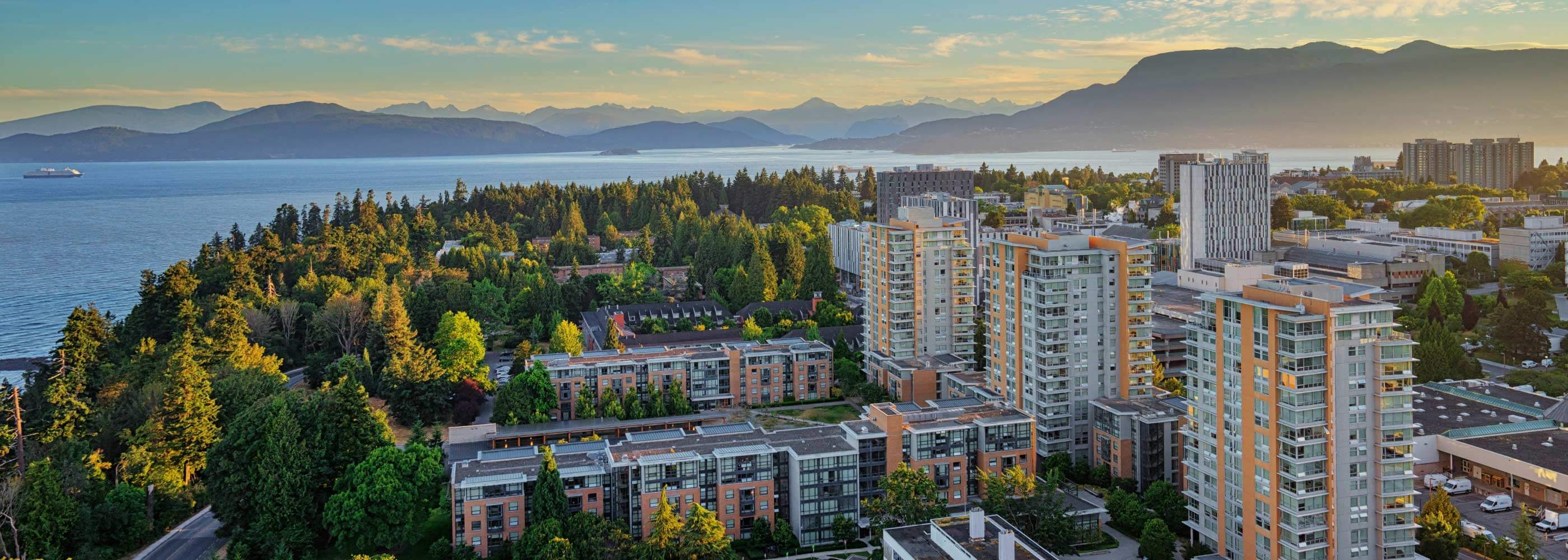
Example Image
url = "https://i.imgur.com/s9egWBB.jpg"
img = Image.open(requests.get(url, stream=True).raw)
display(img)
Extract colour palette from image
get_color_palette(url, 50 ,3)
| HEX | RGB | Color Count | |
|---|---|---|---|
| 0 | #6b9db4 | 107,157,180 | 279123 |
| 1 | #000a00 | 0,10,0 | 66588 |
| 2 | #b2794c | 178,121,76 | 11222 |
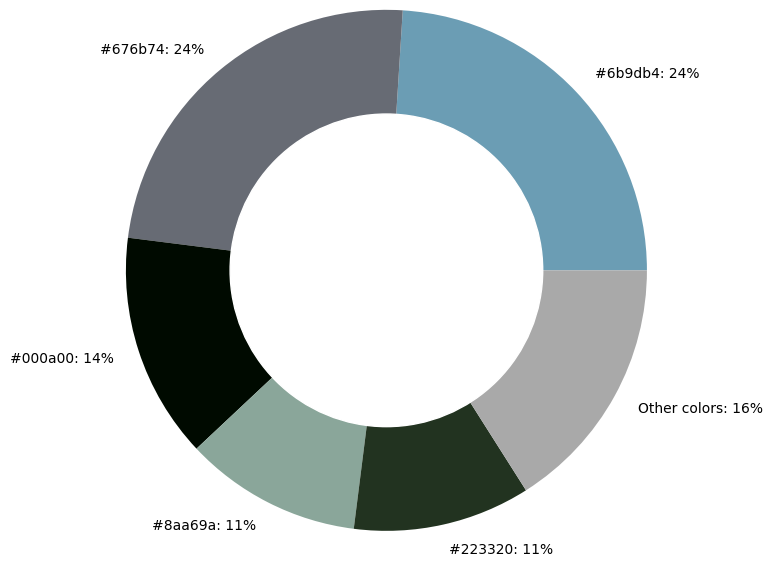
Produce a donut chart with information on the $n$ most common colors in the linked image.
donut(url, 5, 20, 400)
Produce a scatterplot using the colour palette from an image
sample_df = pd.DataFrame({
        'x': np.array([1.1, 1.3, 2.4, 1.5, 1.9, 2.1, 2.1, 0.9, 3.1]),
        'y': np.array([6.8, 7.2, 9.4, 8.3, 5.4, 9.6, 2.9, 6.6, 4.3]),
        'fill': np.array(['A', 'B', 'C', 'A', 'B', 'C', 'A', 'B', 'C'])
    })
scatterplot("https://i.imgur.com/s9egWBB.jpg", sample_df, 'x', 'y', 'fill', 50)
Get the inverted colour palette from an image
negative(url, 10, 20)
| HEX | RGB | |
|---|---|---|
| 0 | #94604a | (148, 96, 74) |
| 1 | #f6edf2 | (246, 237, 242) |
| 2 | #737373 | (115, 115, 115) |
| 3 | #ab9371 | (171, 147, 113) |
| 4 | #c5c6c1 | (197, 198, 193) |
| 5 | #99b2d0 | (153, 178, 208) |
| 6 | #403b5b | (64, 59, 91) |
| 7 | #dec7e0 | (222, 199, 224) |
| 8 | #839de0 | (131, 157, 224) |
| 9 | #5d94b2 | (93, 148, 178) |
negative(url, 1, 100)
| HEX | RGB | |
|---|---|---|
| 0 | #94604a | (148, 96, 74) |
# Extracting 20+ colours with a low threshold may take several minutes
# negative(url, 100, 1)